
Embeddable Components
Pre-built, customizable components for seamless employer onboarding and benefits selection.
Employer Signup Components
Section titled “Employer Signup Components”Our embeddable employer signup flow makes it effortless for businesses to onboard and select the benefits they want to offer their employees. These components are designed to integrate seamlessly into your platform while maintaining your brand identity.
Complete Signup Flow
Section titled “Complete Signup Flow”The employer signup process is broken down into intuitive steps that guide businesses through:
- Company Information - Basic business details and verification
- Benefits Selection - Choose from our comprehensive benefits catalog
- Configuration - Customize settings for their workforce
Step 1: Company Setup
Section titled “Step 1: Company Setup”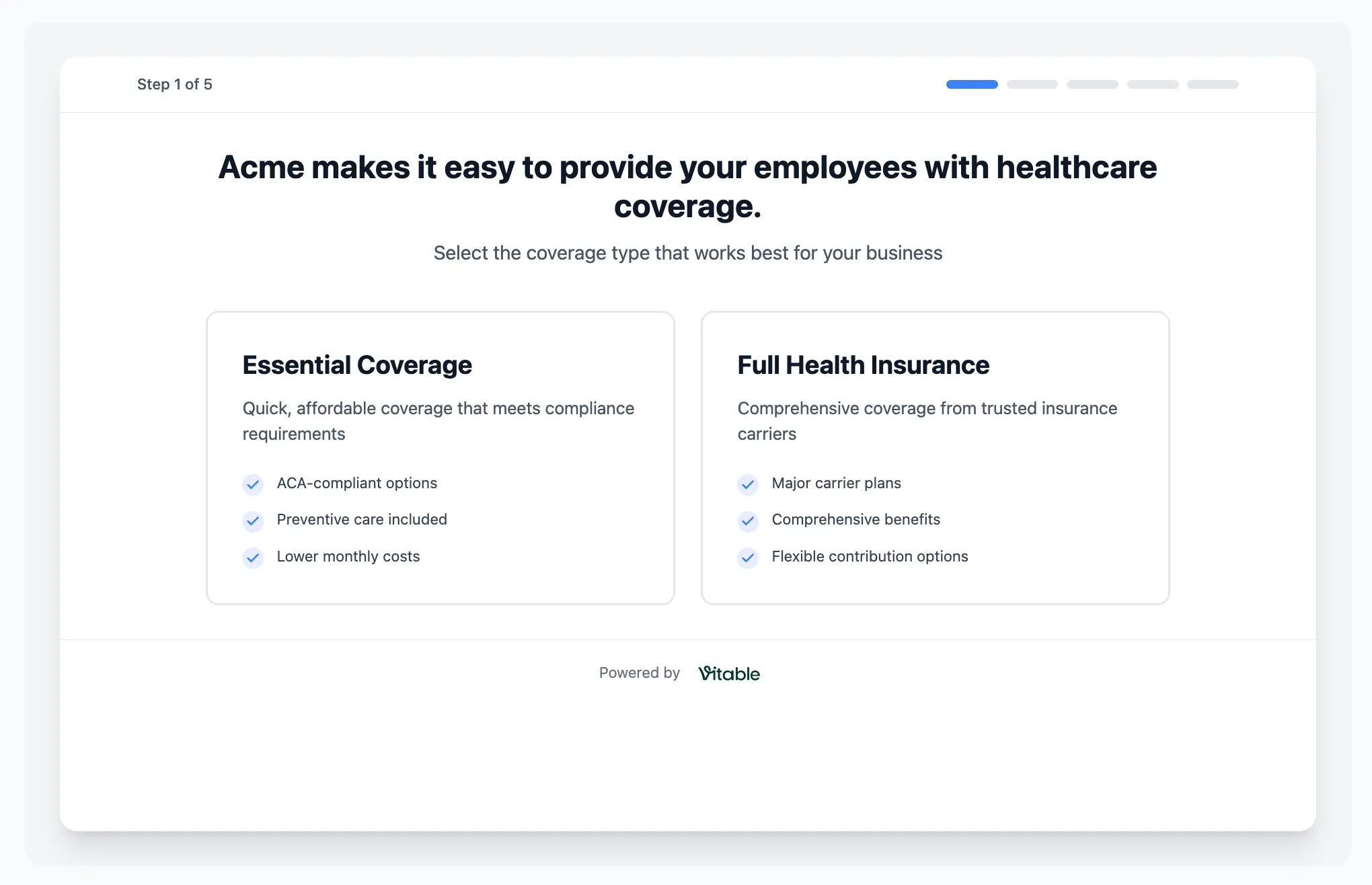
The initial step captures essential company information including business details, industry type, and employee count. This information helps us customize the benefits recommendations and ensure compliance requirements are met.
Key Features:
- Industry-specific benefit recommendations
- Automatic compliance checking
- Real-time validation
- Mobile-responsive design
Step 2: Benefits Catalog
Section titled “Step 2: Benefits Catalog”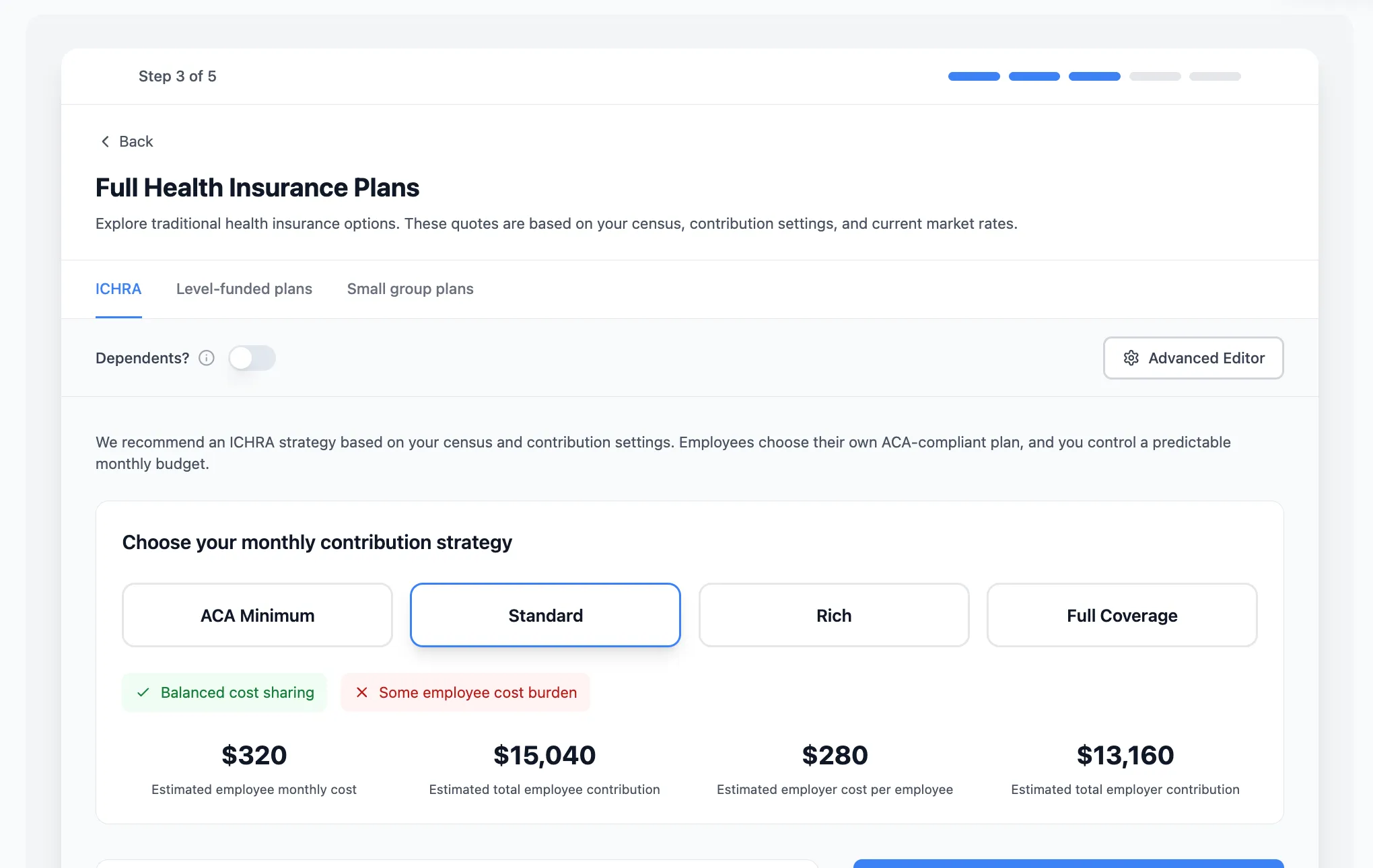
Employers can browse and select from our comprehensive benefits catalog. Each benefit includes detailed descriptions, pricing information, and employee value propositions to help employers make informed decisions.
Available Benefits:
- Direct Primary Care plans
- Minimum Essential Coverage options
- Dental & Vision coverage
- ICHRA configurations
- Additional wellness benefits
Step 3: Final Configuration
Section titled “Step 3: Final Configuration”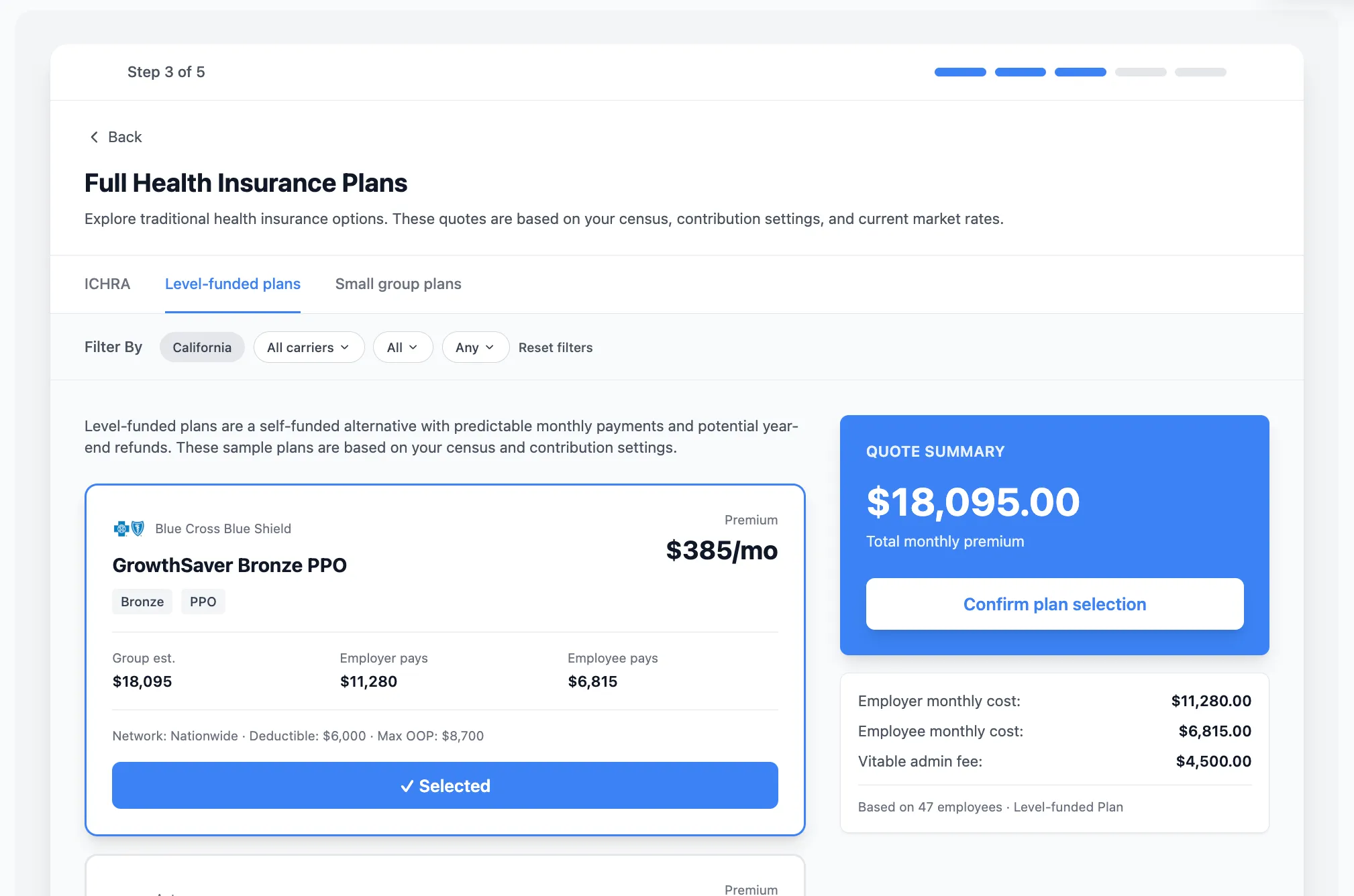
The final step allows employers to review their selections, configure benefit parameters, and complete the signup process. This includes setting contribution amounts, effective dates, and employee eligibility criteria.
Configuration Options:
- Employee contribution levels
- Waiting periods
- Eligibility requirements
- Billing preferences
- Go-live timeline
Implementation
Section titled “Implementation”Quick Integration
Section titled “Quick Integration”import { EmployerSignup } from '@vitable/embeddable-components';
function YourPlatform() { return ( <div> <EmployerSignup apiKey="your-api-key" onComplete={(employer) => { // Handle successful signup console.log('Employer signed up:', employer); }} branding={{ primaryColor: "#your-brand-color", logoUrl: "/your-logo.png" }} /> </div> );}Customization Options
Section titled “Customization Options”- Branding: Match your platform’s colors, fonts, and styling
- Flow Control: Enable/disable specific steps or benefits
- Validation: Add custom validation rules
- Callbacks: Handle events throughout the signup process
Benefits for Your Platform
Section titled “Benefits for Your Platform”✅ Faster Integration - Get up and running in hours, not weeks
✅ Proven UX - Components built from real user feedback and testing
✅ Mobile Optimized - Works perfectly on all devices
✅ Compliance Ready - Built-in validation for regulatory requirements
✅ Customizable - Adapt to match your brand and user flow
Ready to integrate? Contact our team to get started with embeddable components.